My simple proposal for an open source codebase for a standardizable FORM of visual engagement with digital models, of all kinds, is ignored.
Of course it is. Why wouldn’t it be?
Why would anyone listen to, let alone act on, what some random dude with a blog (me) says about anything?
It’s true. I’m random. I am nobody. I do have a blog. And I’m no longer employed at any corporation, or anywhere else. I can be ignored. Easily.
I also happen to be right.
For whatever reason.
Software companies have their roadmaps to work on. And their bugs to fix. They have their in-house decision-making and ideas people.
They also have the drumbeat of an analogy that happens to be very wrong, beating behind everything they do.
A random dude dismantles that beating drum here:
For better drumming, a better drumbeat: see here
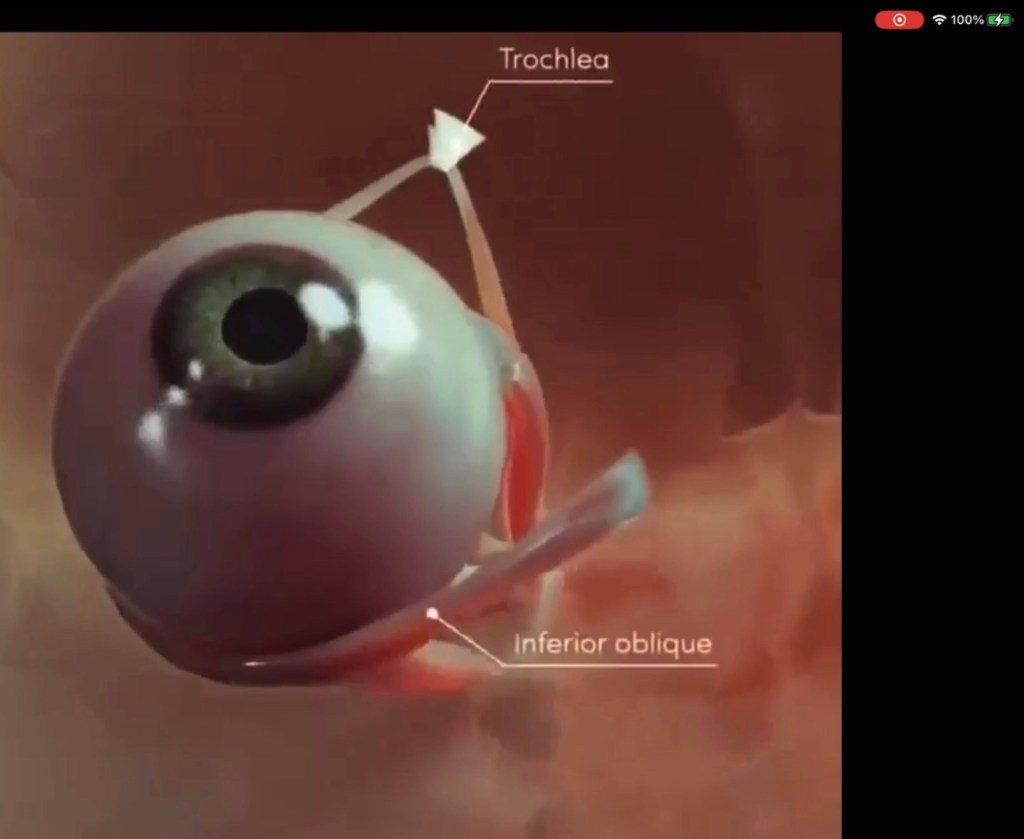
Compare this screen capture (video) from AnatomyApp to the proposal for TGN:
TGN:
TGN is a triple fusion, of:
- digital modeling
- technical drawing (with evolution in its form), and
- cinematic camera rigging techniques from a hundred years of the history of film.
I’ve proposed TGN OPEN CODE as an upgrade to the expression of our focus-narrowing attention-sharpening engagement with models.
It seems to me that the upgrade to our form of engagement must include 8 primary features as the minimum set of actions packaged together that together coherently express this function while taking full advantage of what’s there for the taking within digital modeled environments:
8 FEATURES
(1) ADMINISTRATIVE JUNK (a,b):
- where are the models stored?
- do I need credentials to get to them?
- what’s the coordinate system of the model?
- who created THIS TGN rig?
- Is this rig issued at some milestone or is it work in progress?
- etc.
(2) SCOPE BOX (a):
- Some narrowing scope boundary/volume in the model.
- WHERE am I narrowing my focus? A rectangular volume or some more complex boundary, as with aircraft cutaways and whatnot.
- In other words, however the bounding scope is defined, a bounding scope where attention is focused is made clear.
(3) A BUILT-IN CAMERA PATH (b):
- for easily inspecting the bounding scope.
- The camera path here takes some lessons from a hundred years of the history of film and makes it easy for the author of the TGN rig to provide an easily controllable viewing experience. This is similar to conventional drawing where the viewing experience is COMPLETELY controlled (one fixed vantage point only).
- With TGN inside digital models, we mimic the mental activity we all experience when contemplating a drawing. We imagine a drawing in-situ within our mental model of the whole project, and we move ourselves around it back and forth, the way we move around a coffee cup, a chair, a person, a cat. Right? It’s never a permanently fixed single orientation. We wobble back and forth at least partially around it.
- So this wobbling is built-in to each TGN rig. And there is, (next, 4):
(4) a UI SLIDER BAR (b):
- that moves the camera back and forth along the TGN rig viewing arc/curve/path (3).
- As you move along the viewing path looking at the scope volume, that volume has a primary face (the section or plan cut plane for example). When the camera is brought to the normal direction looking straight at the primary face of the scope volume, there the camera transitions itself to parallel projection.
- The result of this is you are now looking at what unmistakably appears to be a conventional drawing. And, of course TGN can support linking graphics here (see 7, below) from external graphics apps, or, from external HAND DRAWINGS (photographed).
(5) FILTERING (a):
- When a viewer (or author) is engaged with a TGN rig, what elements of the model are shown within the scope volume can be controlled by the usual model-filtering methods.
- These just tell the software which stuff to show and which to hide. Different criteria can be used.
- Interesting thing about the TGN concept is that the show/hide filter can be activated continuously along the entire rig viewing path, OR, the filtering can change at different points along the path. You can use multiple different named MODEL FILTERS at different points along the viewing path.
(6) GRAPHICS STYLES (a):
- You can do whatever you want with the style of model elements that you can see.
- Use style strategically, to make things CLEAR, to show what you intend to show, to make yourself and others understand what’s going on.
- As with filters, these graphics styles can change at different points along the viewing path. The rig author controls this. Viewers of the rig experience this the way the author set it up, as with filtering.
(7) EXTRA GRAPHICS (a):
- You add any graphics you want, to what’s shown of the model according to all of the conditions set in 1 through 6.
- So, you can add whatever non-model graphics that help you make clear what’s being shown and what matters.
- You can add lines, shapes, curves, notes, dimensions, whatever.
- Also interesting that these graphics can be added anywhere along the TGN rig viewing path.
- TGN can support linking graphics from external graphics apps, or, from external HAND DRAWINGS (photographed).
(8) PORTABILITY (a):
- The entire package of features above is designed to be portable to other modeling apps. So, you can create these rigs in one modeling software, and share them to people using other modeling software.
- The receiver gets what you authored with graphical fidelity intact at least to the minimum standard defined by the OPEN TGN standard.
You may have noticed that these 8 features are characteristic of technical drawing in its conventional centuries-old form.
The features with the suffix (a) are embodied directly within the medium of drawing. The features denoted (b) are characteristic of drawing but not embodied in the drawing medium. Rather, (b) are aspects of cognitive processing concomitant with human perception and the activity of viewing and interpreting the drawing medium.
With TGN, a and b are embedded within the digital model.
The TGN concept, or more broadly, an AFR attention-focusing rigs concept, is not constrained to only these eight features
TGN is a minimum set of just the right features that get seeing and thinking and clarifying started, and that together can become an open standard of a minimum set of features that do this. It’s easy to imagine adding more features to AFR implementations in any software. I described 19 or so possible features in the specifications linked below:
SPECIFICATION
I wrote a developer specification (free, of course and open source), twice, first in 2018 and updated in 2021. The spec includes detailed description of the 8 TGN OPEN CORE features, plus a dozen or so related features, among many other possible features beyond the proposed, shared, standardizable TGN OPEN CORE feature set.
TGN developer specification
Download:
TGN: a digital model INTERACTIONS format standard (Apple Book)
TGN: a digital model INTERACTIONS format standard (ePub)
TGN: a digital model INTERACTIONS format standard (PDF)
DEMO:
Some partial demo in a mockup here:
More demo at this playlist.
More technical commentary here:
TGN in Open USD:
Drawing will make a prison break out of the form it’s been locked into for centuries. Digital modeling makes this possible and inevitable.
As it transforms it will honor and amplify the function and purpose of its traditional form, and the transformation will be reversible in both directions, automatically.
Look, at the red arrows:


If you want this, contact me and let’s find the way to make it happen.
- LinkedIn: https://www.linkedin.com/in/robsnyder3333/
- email:
robsnyder@tangerinefocus.com

 OPEN VCS, a lens for looking at models